
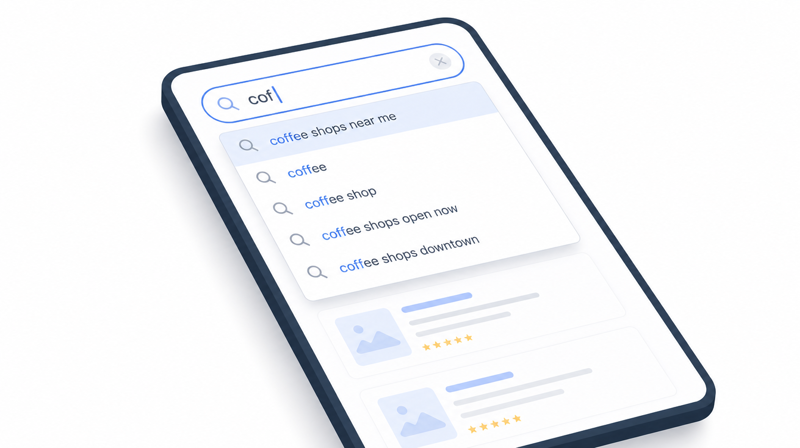
Live Site Search
Display search results in real-time as the user types, and allow them to arrow down through results, or click, to select an item.
-
We'll start by setting up the search results page on your site. In this tutorial the page is at
/search-results, but you can change this to anything you like (just be sure to update all references of this URL throughout the code below).NOTE:
We're also using the default search results listing layout, which is found under 'Pages' > 'Layouts'.{% comment %}<!-- Treehouse CODE v1.0.0 -->{% endcomment %} <h1>Search Results</h1> {% if request.request_url.params.SearchKeyword and request.request_url.params.SearchKeyword != "" %} <p>Results for: <strong>{{ request.request_url.params.SearchKeyword }}</strong></p> {% else %} <p>Enter your search query above</p> {% endif %} {% component type: "site_search", source: "Page", layout: "Site Search List", displayPagination: "true", object: "collection" %} -
Set up the search results list layout (found under 'Pages' > 'Layouts' > "Site Search List").
{% comment %}<!-- Treehouse CODE v1.0.0 -->{% endcomment %} {% if this.items.size > 0 %} <p>Found <strong>{{ this.totalItemsCount }}</strong> result{% if this.totalItemsCount != 1 %}s{% endif %}</p> {% for item in this.items %} <div class="card"> <a href="{{ item['url'] }}"> <h3>{{ item['name'] }}</h3> {% if item['parentName'] and item['parentName'] != "" %} <h4>{{ item['parentName'] }}</h4> {% endif %} {% if item['description'] and item['description'] != "" %} <p>{{ item['description'] | strip_html | truncate: 200 }}</p> {% endif %} </a> </div> {% endfor %} {% else %} <section class="text-center"> <h3>No Results Found</h3> <p>We couldn't find any pages matching your search.</p> <a href="/" class="btn btn-accent">Back to Home</a> </section> {% endif %} -
Next, we need to create a page on your site where we'll configure our Liquid code to look up the paged items. This page will be accessed, in the background, by the AJAX in the next step.
For this example, we've set up a page folder called `ajax` (this is useful for if we later add additional AJAX page functionality).
Now, in the `ajax` page folder, add a page called `lazy-list` and add the below code (using the code view editor).
The page should then be accessible at `/ajax/lazy-list`.IMPORTANT:
Set this page to use a blank template. We don't want to load unecessary files here or any other content.TIP:
We suggest you disable this page from Site Search and from Search Engines to avoid it being publically accessed.The Liquid code below returns the next set of items to be loaded in, and it uses the same list Layout as the initial call, so the layout is consistant and only needs to be updated in one place.
{% comment %}<!-- Treehouse CODE v1.0.0 -->{% endcomment %} {% assign search_keyword = request.request_url.params.SearchKeyword %} {% if search_keyword and search_keyword.size >= 3 %} {% component type: "site_search", source: "Page", layout: "", collectionVariable: "searchData", object: "collection", limit: "5" %} {% capture result_json %} { "success": true, "query": "{{ search_keyword | escape }}", "results": [ {% if searchData.items.size > 0 %} {% for item in searchData.items %} { "title": "{{ item['name'] | escape }}", "url": "{{ item['url'] }}" }{% unless forloop.last %},{% endunless %} {% endfor %} {% endif %} ] } {% endcapture %} {{ result_json | strip }} {% else %} {"success":false,"error":"Query too short or missing"} {% endif %} -
Add the search form to your site where you'd like it to display. This code also provides the container for the live search results dropdown.
The search form's action URL is set to the
/search-resultsresults page as configured above.{% comment %}<!-- Treehouse CODE v1.0.0 -->{% endcomment %} <form id="searchForm" class="search-form" method="GET" action="/search-results"> <input type="search" id="searchInput" name="SearchKeyword" class="search-input" placeholder="Search our site..." autocomplete="off" aria-label="Search query"> <div id="searchDropdown" class="search-dropdown"></div> </form> -
Add some styles to your existing CSS file for the dropdown live search results (adjust as required).
/* Treehouse CODE v1.0.0 */ .search-form { position: relative; } /* Autocomplete dropdown */ .search-dropdown { position: absolute; top: calc(100% + 0.5rem); left: 0; right: 0; background-color: #FFF; border: 1px solid #CCC; border-radius: 6px; box-shadow: 0 8px 24px rgba(0, 0, 0, 0.4); max-height: 400px; overflow-y: auto; opacity: 0; visibility: hidden; transform: translateY(-10px); transition: opacity 0.2s, transform 0.2s, visibility 0.2s; z-index: 1001; } .search-dropdown-visible { opacity: 1; visibility: visible; transform: translateY(0); } .search-dropdown-item { display: block; padding: 1rem; border-bottom: 1px solid #BBB; color: #000; text-decoration: none; transition: background-color 0.2s; } .search-dropdown-item:last-child { border-bottom: none; } .search-dropdown-item:hover, .search-dropdown-item-active { background-color: #EEE; } .search-item-title { font-weight: 600; margin-bottom: 0.25rem; color: #000; } .search-dropdown-empty { padding: 1.5rem; text-align: center; color: #BBB; font-size: 0.875rem; } -
Lastely, add the following Javascript to your site's JS file.
//## Treehouse CODE v1.0.0 ##
document.addEventListener('DOMContentLoaded', function () {
  var searchForm = document.getElementById('searchForm');
  var searchInput = document.getElementById('searchInput');
  var searchDropdown = document.getElementById('searchDropdown');

  if (!searchForm || !searchInput || !searchDropdown) {
    return;
  }

  var debounceTimer = null;
  var currentFocusIndex = -1;
  var dropdownItems = [];

  function showDropdown() {
    searchDropdown.classList.add('search-dropdown-visible');
  }

  function hideDropdown() {
    searchDropdown.classList.remove('search-dropdown-visible');
    currentFocusIndex = -1;
    dropdownItems = [];
  }

  function performLiveSearch(query) {
    if (query.length < 3) {
      hideDropdown();
      return;
    }

    clearTimeout(debounceTimer);
    debounceTimer = setTimeout(function () {
      var xhr = new XMLHttpRequest();
      var url = '/ajax/lazy-list?SearchKeyword=' + encodeURIComponent(query);

      xhr.open('GET', url, true);
      xhr.onload = function () {
        console.log(xhr);
        if (xhr.status === 200) {
          try {
            var data = JSON.parse(xhr.responseText.trim());
            console.log(data);
            if (data.success && data.results && data.results.length > 0) {
              renderDropdown(data.results);
            } else {
              renderEmptyDropdown();
            }
          } catch (e) {
            console.error("JSON Parsing Error:", e);
            hideDropdown();
          }
        } else {
          hideDropdown();
        }
      };
      xhr.onerror = function () {
        hideDropdown();
      };
      xhr.send();
    }, 300);
  }

  function renderDropdown(results) {
    var html = '';
    for (var i = 0; i < results.length; i++) {
      var item = results[i];
      html += '<a href="' + item.url + '" class="search-dropdown-item" data-index="' + i + '">';
      html += '<div class="search-item-title">' + item.title + '</div>';
      html += '</a>';
    }
    searchDropdown.innerHTML = html;
    dropdownItems = searchDropdown.querySelectorAll('.search-dropdown-item');
    showDropdown();
  }

  function renderEmptyDropdown() {
    searchDropdown.innerHTML = '<div class="search-dropdown-empty">No results found</div>';
    dropdownItems = [];
    showDropdown();
  }

  function setActiveItem(index) {
    for (var i = 0; i < dropdownItems.length; i++) {
      dropdownItems[i].classList.remove('search-dropdown-item-active');
    }
    if (index >= 0 && index < dropdownItems.length) {
      dropdownItems[index].classList.add('search-dropdown-item-active');
      currentFocusIndex = index;
    } else {
      currentFocusIndex = -1;
    }
  }

  function handleKeyDown(e) {
    if (!searchDropdown.classList.contains('search-dropdown-visible') || dropdownItems.length === 0) {
      return;
    }

    if (e.key === 'ArrowDown') {
      e.preventDefault();
      var nextIndex = currentFocusIndex + 1;
      if (nextIndex >= dropdownItems.length) nextIndex = 0;
      setActiveItem(nextIndex);
    } else if (e.key === 'ArrowUp') {
      e.preventDefault();
      var prevIndex = currentFocusIndex - 1;
      if (prevIndex < 0) prevIndex = dropdownItems.length - 1;
      setActiveItem(prevIndex);
    } else if (e.key === 'Enter') {
      if (currentFocusIndex >= 0 && currentFocusIndex < dropdownItems.length) {
        e.preventDefault();
        dropdownItems[currentFocusIndex].click();
      }
    } else if (e.key === 'Escape') {
      e.preventDefault();
      hideDropdown();
      searchInput.blur();
    }
  }

  function handleFormSubmit(e) {
    var query = searchInput.value.trim();
    if (query === '') {
      e.preventDefault();
      return;
    }
  }

  searchInput.addEventListener('input', function () {
    performLiveSearch(searchInput.value.trim());
  });

  searchInput.addEventListener('keydown', handleKeyDown);
  searchForm.addEventListener('submit', handleFormSubmit);
});
Comments or questions? Head over to the WebinOne forum to discuss with the community.